
Top 10 AI Tools Transforming VFX Workflows in 2026
Upgrade your VFX Production with these AI VFX Tools
The VFX industry is embracing a wave of AI-powered tools that are reshaping how artists work. These tools automate or accelerate tedious tasks like rotoscoping, clean-up, motion tracking, and even animation, freeing VFX professionals to focus on the creative decisions that truly need a human eye. Below is a list of the top 10 AI tools (as of 2026) that are changing VFX workflows for the better. We’ll cover what each tool is, what it can do for you, and why studios are taking notice.
1. ComfyUI – Node-Based Generative AI for VFX
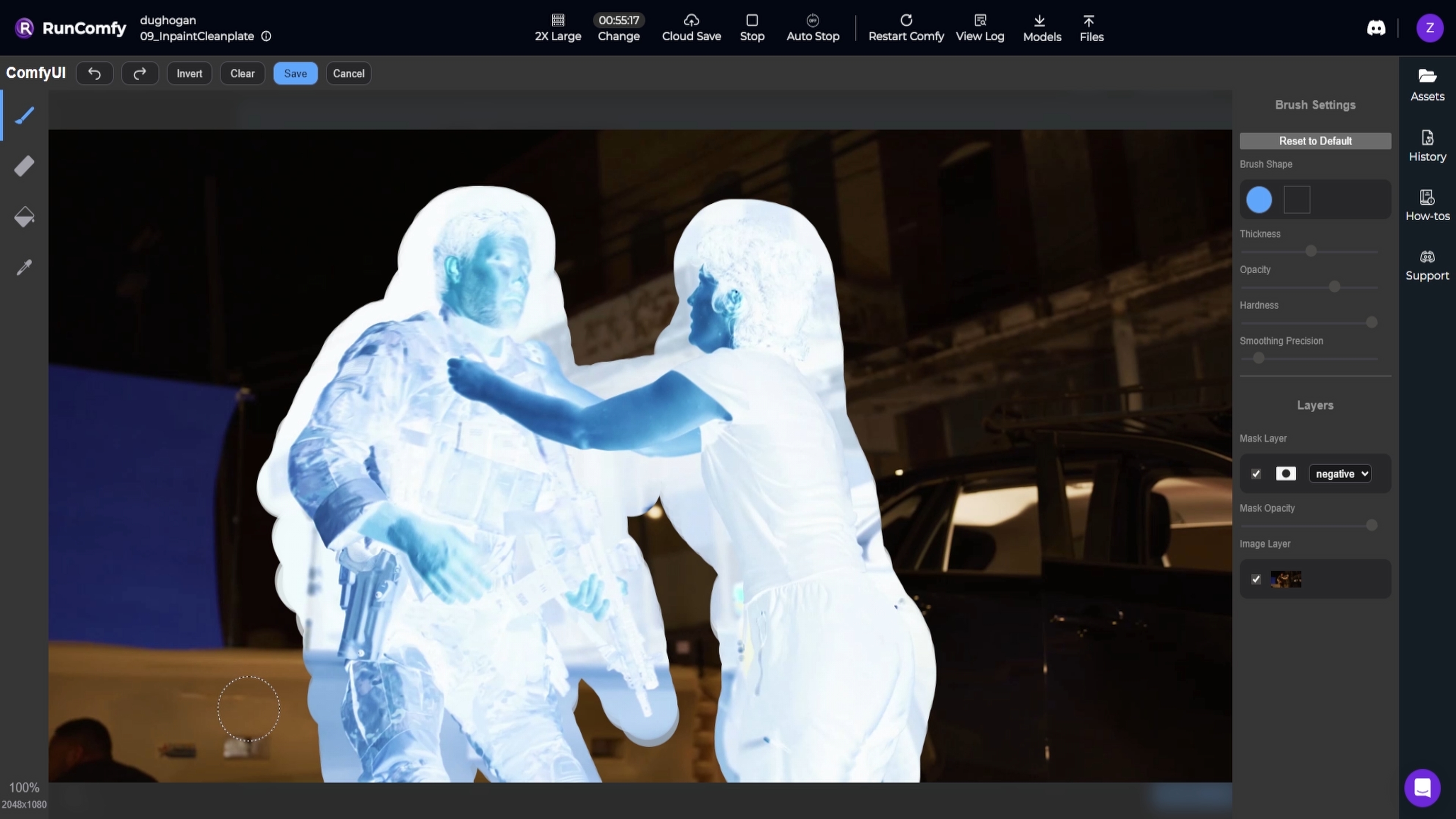
What it is: ComfyUI is a powerful open-source, node-based application for generative AI workflows. Think of it as a visual programming interface for Stable Diffusion and other AI models – you connect nodes to design image, video, or 3D generation pipelines. It runs locally on your machine (or in the cloud) and gives you full control to branch, remix, and fine-tune every part of an AI generation process.
How it helps Artists: VFX artists have begun integrating ComfyUI into their pipelines as a practical production tool, not just a toy. With ComfyUI, you can set up AI-driven tasks for things like clean plate creation, matte extraction, and relighting. For example, artists use AI inpainting nodes to remove unwanted objects or create “patch” textures for clean-up, and use generative models to assist in rotoscoping by generating mattes for tricky areas. Studios are using ComfyUI to speed up clean-up, rotoscoping, and comp tasks – outputting clean EXR frames that hold up in a professional compositing workflow. In short, ComfyUI lets you build custom AI tools for VFX: you could generate a sky replacement, create depth maps from 2D images, or prototype set extensions, all by chaining AI models in a node graph.
Why it’s popular: ComfyUI’s open nature means it’s constantly evolving with community-built custom nodes and new model integrations. It’s free (open-source) and gives artists more control than “one-click” generative apps. Even major studios are paying attention – for instance, Ubisoft recently open-sourced a material-generation model with ComfyUI support, hinting at its use for PBR texture workflow. By mastering ComfyUI, VFX professionals can create their own AI-assisted tools tailored to their pipeline, making tedious tasks faster so they can focus on creative work.
We built Introduction to ComfyUI for VFX, a step-by-step course designed specifically for professional workflows. You'll learn how to:
- Build clean plate and roto systems with ControlNet
- Relight subjects using depth maps and custom EXR passes
- Export usable frames for compositing in Nuke, After Effects, or Resolve
Over +450 artists joined since launching in September. If you'd like to learn an ethical pipeline incorporating AI as a tool, instead of a replacement for human creativity, sign-up to the course here.
2. Beeble AI – Relighting & Compositing
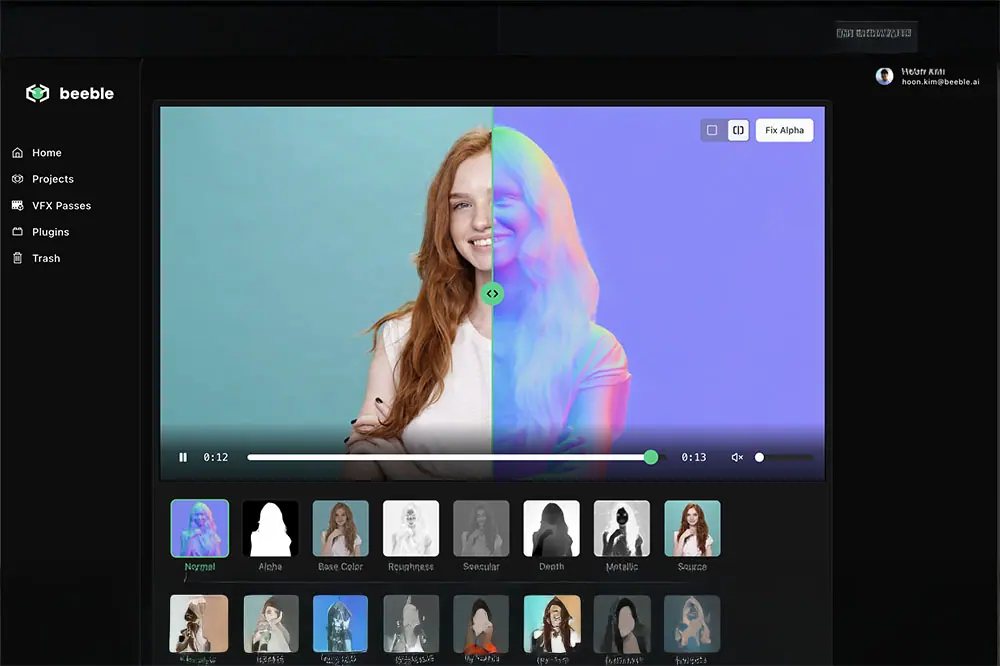
What it is: Beeble is a professional AI tool for relighting and compositing that turns ordinary video into a relightable 2.5D scene. It analyzes your footage and generates a full set of PBR (physically-based rendering) passes – such as normals, base color (albedo), depth, specular, roughness, alpha mattes, etc. – all from the original video frames. In other words, Beeble can auto-“reverse engineer” your 2D footage into useful render passes as if it were a 3D scene. It also does automatic AI rotoscoping, separating subjects from the background with clean matte.
How it helps Artists: Once Beeble converts your shot into these passes, you can relight the scene in seconds without any 3D reconstruction or reshoots. Artists get a built-in 3D relighting editor to add virtual lights, change the direction or color of lighting, and see results instantly. This is a game-changer for compositors: if a plate was shot with less-than-ideal lighting, you don’t necessarily need to send it back to set or into a full 3D rebuild – Beeble lets you tweak the lighting in post. According to a press release, Beeble’s latest SwitchLight 2.0 model converts raw video into detailed PBR maps (normal, albedo, metallic, roughness, specular) so you can relight full scenes in real time, with no manual masking or 3D geometry needed.
It even works on full scene environments, not just isolated actors – version 3.0 can capture props, furniture, and architecture in the scene for relighting.
Beeble also offers plugins for popular compositing and 3D software (such as a Nuke plugin), making it easier to bring those AI-generated passes into your existing pipeline. Studios like Boxel Studio have called it a “game-changer” that gave their comp team direct creative control over lighting to iterate faster on shot.
Why it’s popular: Beeble is aimed squarely at high-end VFX. It’s a paid product (with a free trial on the web) that’s for studios or serious pros. The reason studios are adopting it is the massive time savings on tasks like reshoots and complex relighting in 3D. For instance, instead of scheduling a new greenscreen shoot because the lighting on an actor didn’t match the background, a compositor can adjust the lighting using Beeble in a few clicks. By generating “pixel-perfect, production-ready” passes from any footage, Beeble also helps with object removal (export an alpha matte of the subject and you have an instant clean plate) and integration of CG elements with correct scene lighting. In summary, Beeble’s next-gen AI relighting means “no reshoots, just relight" – a huge efficiency boost for VFX teams.
3. Autodesk Flow Studio (formerly Wonder Studio) – AI Character Animation & Placement
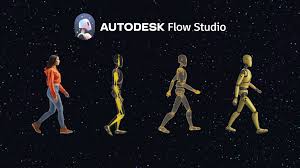
**What it is: ** Autodesk Flow Studio is a cloud-based AI platform for inserting CG characters into live-action footage automatically. If you have a shot with an actor (or even just a reference performance), Flow Studio’s AI will track the actor’s motion, apply that motion to a 3D character, composite the CG character into the scene, and even match the lighting and color to make it look seamless. This tool originated as Wonder Studio (by Wonder Dynamics) in 2023 and was acquired by Autodesk in 2024; it’s now part of Autodesk’s cloud ecosystem for media and entertainment.
How it helps Artists: This tool tackles one of the most labor-intensive aspects of VFX: character integration. Normally, replacing an actor with a CG character (say a creature or a digital double) requires motion capture or animation, tracking the camera, lighting the render to match, and compositing – multiple departments and weeks of work. Flow Studio automates much of that. For example, you could film yourself performing a scene, and Flow will replace you with a CG character (from its library or your upload), auto-animate that character with your movements, and auto-composite it into the shot with proper lighting and shadows. It also outputs useful data: you get the clean plate (the original background with the actor removed), camera tracking data, alpha masks, and motion capture data for the performance. All of this can be exported to common 3D formats or even directly to Unreal, Blender, Maya, etc., in USD format for further tweaking.
In practice, Flow Studio is great for previsualization and concept shots – you can “cast” a CG character into a scene in minutes to see how it plays. It’s also useful for crowd scenes (swap out background actors with digital creatures) or stunt work (replace a stunt performer with a CG double doing something crazy). Boxel Studio, for instance, used this tech to do markerless motion capture for a project, speeding up their character animation process dramatically. With new updates, Autodesk has even made parts of the tool available as standalone services called “Wonder Tools” – like just doing AI camera tracking on footage, or creating a clean plate by removing human actors from a shot via AI.
Why it’s popular: Flow Studio is backed by Autodesk. If you use any of their other tools (like Maya or 3ds Max), you know their tools are built for production pipelines. It’s subscription-based and uses cloud compute (you buy credits per second of footage processed). Studios like it because it compresses the pipeline (saving you enormous amounts of time) – one artist can do in a day (with AI assistance) what might have taken a small team weeks. Automatic mocap and compositing means you can iterate on ideas faster and only bring in animators or lighters for fine-tuning instead of doing everything from scratch. It’s not going to replace hero character animation done by hand, but for background characters, doubles, or pitch viz, it’s extremely effective. In short, Flow Studio takes a task that’s usually “send it to the animation department” and makes it as easy as uploading your footage and choosing a CG model – the AI does the heavy lifting of tracking, animating, and integrating the element into your shot.
4. Runway ML – AI Toolkit for Previz, Roto, and Quick Video Magic
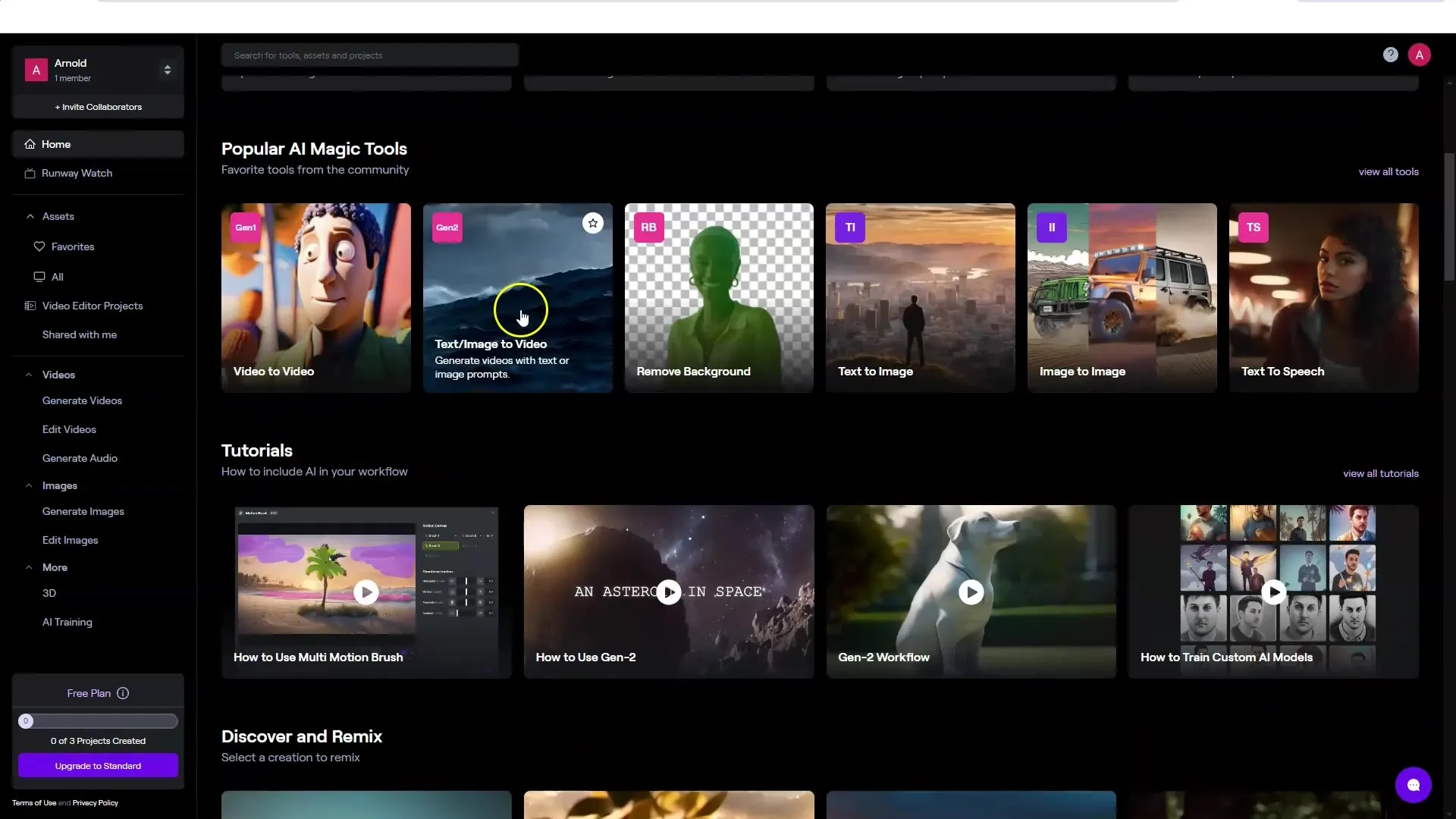
What it is: Runway ML is an AI-powered creative suite that has become one of the go-to tools for AI video generation and editing. It offers a web-based platform with dozens of AI models that can do everything from text-to-video generation (their Gen-2 model) to background removal (“Green Screen” feature) to stylization and more. In a VFX context, Runway is often used for rapid previsualization and as a smart video editor with AI capabilities.
How it helps Artists: One of Runway’s standout features for VFX artists is its automated rotoscoping and masking. The “Remove Background” (Green Screen) tool can isolate people or objects in video without a manual roto – hugely accelerating tasks like pulling temp keys or creating mattes for compositing. It’s not always pixel-perfect, but it’s an enormous time-saver for prep work or filler shots. Runway is also great for concept art and look development on moving images. With text-to-video, you can generate quick conceptual shots or style references – for instance, imagining a different background or weather in a plate – to communicate ideas before committing to full production. By 2025, Runway’s generative models had improved at keeping a consistent subject or character across shots (a common issue with early AI video). It’s also used for rapid comps: you can combine its AI tools to, say, remove an object, then fill in the hole with an AI inpainting model, all inside Runway.
Why it’s popular: Runway has positioned itself as an “overall leader in AI video” with a wide array of tools. For VFX pros, it’s like a Swiss army knife for quick tasks: plate cleanup, previz, quick matte extractions, even some color grading and editing – all accelerated by AI. It’s mostly cloud-based and subscription (with some free tier usage), which makes it easy to access. While you wouldn’t finish a Hollywood shot entirely in Runway, it’s fantastic for prototyping and time-saving in early stages. For example, instead of spending hours manually painting out a boom mic in every frame, artists have used Runway’s AI to remove it in minutes and then only lightly touched up the result. “Great for concept passes and plate cleanup before you jump into After Effects or Nuke”. By automating rote work, Runway lets VFX artists focus on evaluating the creative result sooner in the process.
5. Adobe After Effects (AI Features with Sensei) – Smart Roto & Object Removal
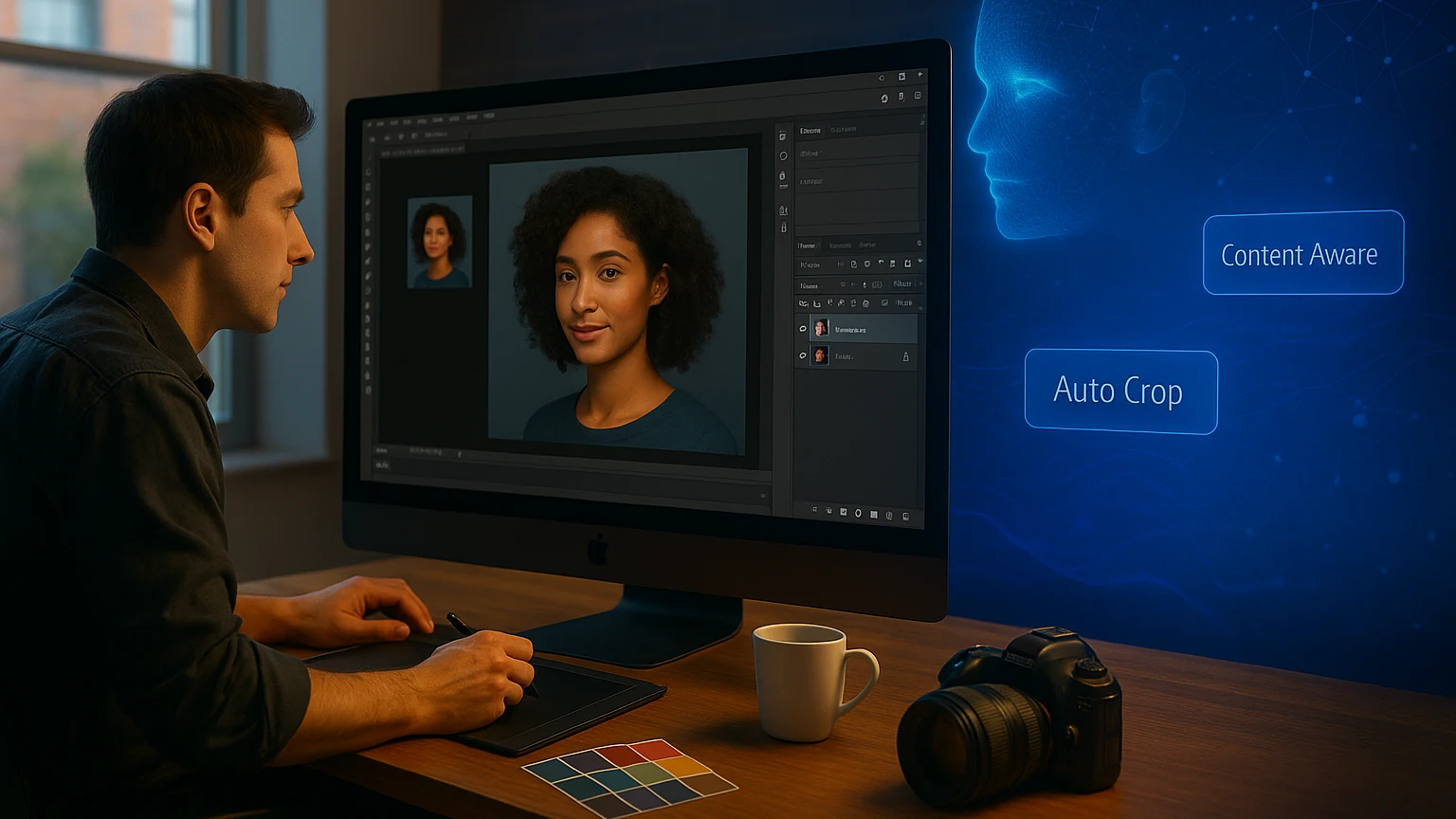
What it is: Adobe After Effects is a long-standing staple in compositing and motion graphics, and Adobe has integrated its Sensei AI technology into AE to supercharge certain features. The two big AI-driven features useful for VFX are Content-Aware Fill for Video and the Roto Brush (version 2 and beyond). Content-Aware Fill, introduced in 2019 and improved since, lets you remove unwanted elements from video automatically (similar to Photoshop’s content-aware fill but temporal). Roto Brush 2 (powered by machine learning) allows semi-automatic rotoscoping – you draw rough strokes on an object/person and the AI propagates a matte through the clip.
How it helps Artists: These tools attack traditional time sinks in compositing. Content-Aware Fill for Video can remove wires, boom mics, signs, people wandering into a shot, etc., without you having to paint or clone stamp every frame. The AI analyzes the surrounding frames to patch the hole believably. It’s not magic every time, but on many clean backgrounds or non-critical areas it does an amazing job. As Adobe’s documentation highlights, this “removes mics, poles, passers-by without frame-by-frame roto”, saving enormous effort. Roto Brush 2 uses AI to distinguish foreground from background and follows the edges (even hair or motion blur) across frames. Instead of manually drawing splines on each frame, you might just correct the AI matte here and there. This means faster matte extraction for things like isolating an actor for a sky replacement or color grading.
Adobe has also been previewing Generative Fill for video (as part of Adobe Firefly – e.g., type “change this scene to night” and it does it), though as of 2026 those are emerging features. Still, even the current Sensei-driven tools are widely used. Many VFX houses using After Effects for TV or commercials rely on Content-Aware Fill to handle last-minute removals or cleanups that previously would require a dedicated paint artist. It’s especially useful for cleanup on plates where you don’t have the time/budget for a 3D matchmove and paint – e.g., removing a stray reflection on a window. The AI isn’t perfect, but when it works it might eliminate dozens of tedious paint hours.
Why it’s popular: Simply put, these features are built into software many artists already use daily. There’s no new interface to learn – you update After Effects and suddenly your everyday tasks have an “easy button” option. Studios like that these AI tools are production-proven by Adobe and don’t require sending footage to an external app or cloud service (good for security and speed). The result is more efficient workflows: one person can do what used to need a whole roto/paint team in some cases. As one example, a VFX artist can remove a boom mic from a complicated moving shot in minutes with Content-Aware Fill, then spend a bit of time fixing any glitchy frames, rather than meticulously painting it out in each frame. It’s this integration of AI into familiar tools that accelerates timelines – “an enormous time saver in comp” for object removal – while still letting artists intervene as needed to ensure quality.
6. AI Markerless Motion Capture (e.g. Move.ai, DeepMotion) – Animate Characters with a Camera
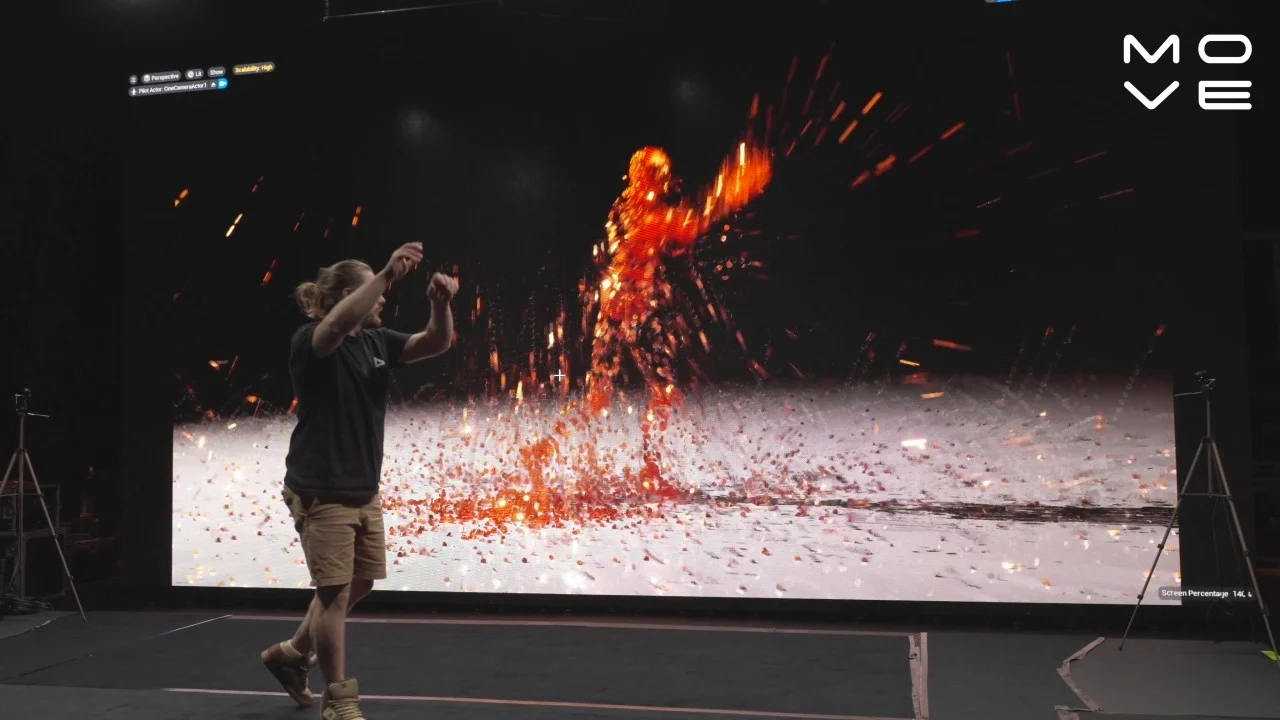
What it is: Markerless mocap tools use computer vision and AI to capture human motion from regular video footage – no special suits or markers required. Two notable players are Move.ai and DeepMotion. With these services or software, you can upload a video (or use live webcam/phone footage), and the AI will analyze the movement of the person (or even multiple people) in the video and output animation data (like an FBX file of a skeleton, or streamed data) that you can apply to a 3D character rig. Essentially, they turn any video of an actor into motion capture data.
How it helps Artists: Animating realistic human (or creature) motion can be very time-consuming by hand. Traditional optical motion capture is expensive and not always accessible for smaller teams or quick needs. AI markerless mocap fills that gap by allowing fast, low-cost capture of performances. For instance, if you need a quick background character animation of someone dancing or a specific action, you could just film an intern doing it and get the mocap from Move.ai to drive your CG character. These tools are also being used in previsualization – directors can act out scenes and get rough animation immediately, which helps in planning shots. According to a 2025 report, the appeal is “no suits, no stage – just upload a video and retarget to your rig”. DeepMotion even handles face and hand capture to some degree, and some tools (like RADiCAL or Move.ai) allow real-time streaming into game engines for virtual production.
In VFX and animation studios, markerless AI mocap is speeding up motion acquisition for secondary characters, stunt vis, or crowd actions. For example, instead of animating 20 background people running in panic, an artist could film themselves doing a few runs and use that AI mocap for all the crowd agents with variations. It won’t always be as clean or precise as a professional mocap stage, but the tech has improved to be surprisingly accurate. Move.ai advertises capturing high-quality motion from just iPhones – multiple camera angles improve the solve – which can yield production-ready data for even demanding shots.
Why it’s popular: The big reason is accessibility and cost-effectiveness. Markerless mocap tools often have subscription models far cheaper than setting up a mocap stage, and you can use them anywhere. This democratizes motion capture, letting smaller VFX teams and even freelancers utilize motion data in their projects. Even large studios find use cases for them: they can quickly prototype an animation in early stages before committing to expensive reshoots or mocap sessions. The AI does heavy math under the hood (human pose estimation, etc.), giving artists a straightforward way to get results. In short, if you have a camera and the internet, you have a motion capture solution. This removes a traditional bottleneck – animators spend less time on menial keyframing or cleanup, and can focus on polishing the performance that the AI initially captured. As noted in one guide, it’s ideal for indie previz and building up motion libraries, since you can generate lots of movements quickly and export to standard formats like FBX/BVH for any 3D software.
7. Cascadeur – AI-Assisted Keyframe Animation
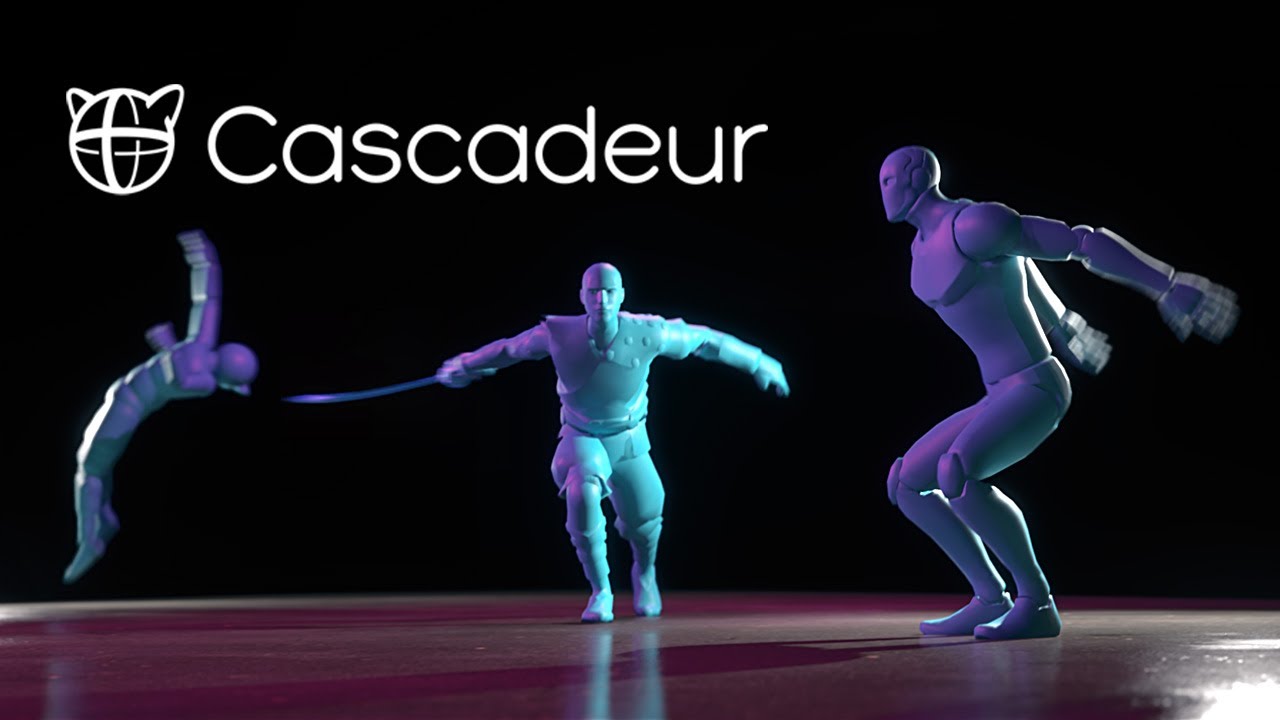
What it is: Cascadeur is a unique physics-based character animation software that uses AI to assist animators in creating realistic motion. Unlike motion capture, Cascadeur is still a keyframe animation tool – but it provides AI suggestions and automation for things like posing a character naturally, predicting motion arcs, and ensuring physics plausibility. You pose the character at a few major frames, and Cascadeur’s AI can interpolate a rough motion, auto-adjust timing for weight and balance, and suggest corrections to make the animation look more lifelike (while you retain full control to tweak it).
How it helps Artists: For VFX shots involving CG characters or creatures, animators often have to manually keyframe motions (especially if mo-cap isn’t available or the creature is fantastical). Cascadeur acts like an intelligent assistant that can speed up the blocking stage of animation. It has features like auto-posing: you can grab a character rig and the AI will help pose limbs in a balanced, natural way with correct center of gravity. It also offers trajectory editing where it predicts the path of motion, and physics checks that alert if something is off (like a jump that doesn’t obey gravity). This means an animator can rough out an action sequence much faster, then refine as needed. According to users, Cascadeur “speeds up blocking and keeps animation yours”, meaning it automates the grunt work but the artist can still craft the performance. The tool can then export the animation to FBX or other formats for use in Maya, 3ds Max, Unreal, etc., fitting into VFX pipelines easily.
Why it’s popular: Cascadeur hits a sweet spot between full manual animation and fully-automatic methods. Artists love that it preserves creative control – the AI helps but doesn’t make arbitrary choices you can’t change. It’s like having a junior animator that suggests improvements rather than an autopilot. By handling the heavy physics calculations, it ensures your animated characters have proper weight and momentum, reducing the need for tedious fixes (like preventing floaty motion or foot sliding). It’s also affordable (there’s even a free version for non-commercial use, and reasonable prices for pro). In a professional VFX setting, Cascadeur can save time on pre-visualization and even final keyframe work, especially for action sequences. It’s part of the broader trend that AI can assist artists without taking over, acting as a tool to eliminate the dull parts of adjusting keys over and over. As one summary put it, Cascadeur provides “auto-posing, trajectory tools, [and] physics plausibility” out of the box, which makes it a powerful aid for any animator tasked with complex character work under tight deadlines.
8. Massive – AI-Driven Crowd Simulation
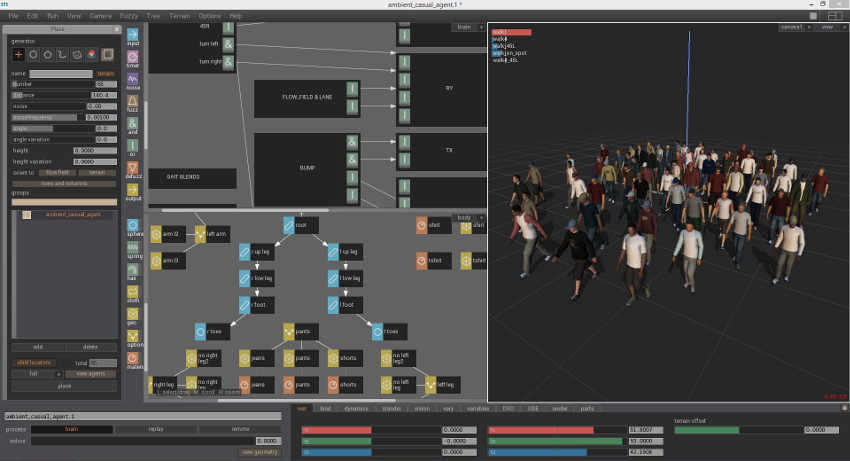
What it is: Massive is a legendary software in VFX, known for its use of autonomous agents to create large-scale crowds (it was famously used for the epic battles in The Lord of the Rings). It’s not “AI” in the modern machine-learning sense, but it uses artificial intelligence agents – each crowd character has a set of behaviors and can react to its environment and others, resulting in realistic crowd motion. Massive allows you to simulate thousands of characters (soldiers, people, creatures, etc.) who make decisions (run, fight, flee) based on AI rules and noise, so the crowd looks organic and not scripted. In recent updates, Massive has improved export pipelines (supporting Universal Scene Description for modern workflows) and ease-of-use, but its core AI crowd engine remains its key selling point.
**How it helps Artists: **Whenever you see huge crowd scenes – armies, stadiums, city streets filled with people – it’s impractical to animate each individual or film thousands of extras. Massive gives you a procedural, AI-based way to fill scenes with life. You design a few different types of agents (with models, animations, and a brain logic), and Massive will randomly vary their actions and interactions. For a VFX artist, this means you can simulate, say, 10,000 medieval soldiers clashing, and each will be slightly different – the AI ensures some dodge, some attack, some retreat based on predefined behavior probabilities. This automation of crowd behavior is something no amount of keyframe animators could achieve as believably or quickly. Massive has been the gold standard such that when you need “thousands of believable agents (battlefields, cities, stadiums), Massive remains the benchmark."
In production, an artist might use Massive to generate crowd elements which are then rendered and composited into live-action plates or full-CG shots. Because each agent is AI-driven, you avoid the “copy-paste clone” look and get emergent behavior – crowds that mill about, react to a stimulus, etc., without repeating cycles obviously. Massive is often used in film, TV, and even theme park rides for crowd simulations. Its recent support for modern pipelines (like exporting to USD or directly into Unreal/Unity) means it can integrate with virtual production or other layout tools more easily.
Why it’s popular: Massive might not be new, but it’s continuously relevant because no other tool has fully surpassed the realism of its AI crowds at that scale. Alternative crowd systems (Golaem for Maya, Houdini crowds) exist and are used, but many big studios still turn to Massive for the hardest crowd shots. It’s a proven solution with AI at its core – you set it up, and the agents think for themselves during simulation, which can lead to wonderfully realistic chaos without animators hand-directing every motion. With today’s focus on efficiency, Massive allows a small team to deliver what would otherwise require an army of extras or animators.
For any VFX involving large crowds, knowing how to leverage Massive or similar AI-driven crowd tools is a huge advantage in getting shots done on time and within budget.
9. Luma AI – Neural 3D Capture and AI Scene Augmentation

What it is: Luma AI is a platform leveraging Neural Radiance Fields (NeRFs) and generative AI to blur the line between real footage and 3D. It has an iPhone app (Luma 3D Capture) that lets you scan real-world objects or scenes by just recording a video – then the AI constructs a fully textured 3D model/scene from it. This is like photogrammetry on steroids: it captures intricate details, reflections, and lighting realistically via AI. Beyond capture, Luma’s new “Dream Machine” and video-to-video tools allow you to transform existing videos: you can restyle a video (e.g., make a daytime scene look like night, or turn a real video into a cartoon) and even change camera angles or focal length in a shot after the fact using AI’s 3D understanding.
How it helps Artists: Luma is introducing some revolutionary possibilities for VFX workflows:
-
Quick 3D asset creation: Need a digital double of a prop or even an entire set? Instead of laborious modeling or LiDAR scanning, you can capture it with an iPhone and get a NeRF-based 3D asset. For example, you could walk around a car on set with your phone, and Luma will generate a 3D model of that car (with realistic materials) to use for VFX (perhaps for a destruction effect or a digital takeover). It’s fast and accessible – “a new way to create incredible lifelike 3D with AI using your iPhone” – democratizing what used to require specialized photogrammetry rigs.
-
Environment capture: Similarly, Luma can capture entire environments (rooms, outdoor areas). In post, that means you have a 3D representation of your real set – useful for set extensions or camera tracking. Instead of manually recreating a location in CG, the AI does it. This can save a ton of time when you need a quick digital twin of a location for VFX tasks like adding destruction, changing the lighting, or inserting CG elements with proper parallax.
-
AI scene editing: The more mind-blowing aspect is Luma’s video-to-video AI. It can change the look or camera perspective of footage without a reshoot. For instance, you can take a locked-off shot and ask Luma’s AI to “add a subtle camera push-in” or shift the angle slightly – the AI will synthesize new frames as if the camera moved. It understands depth, so it’s not a simple 2D zoom, it’s generating missing perspective (within reason). You could also change time of day or style: turn a summer shot into a snowy winter shot, or make a pristine city look post-apocalyptic, just by describing it. This is done by training on your footage and then using generative models to re-render the scene with the desired modifications. For VFX, this hints at being able to make significant creative changes in post-production that earlier would demand either a reshoot or massive compositing work. Imagine telling the AI “make this sunny scene look like it’s raining at night” – and getting a starting point that you can then refine.
Why it’s popular: Luma is still an emerging tool, but it’s gaining popularity because it collapses several steps into one. It gives VFX artists and even directors a kind of superpower: capture reality into editable 3D assets instantly, and alter reality with AI-driven edits. The quality is rapidly improving; what started as slightly blurry NeRF reconstructions a couple years ago are now hi-res, detailed assets – even capable of generating PBR materials and meshes for use in Unreal or Blender from captures. The tech community is excited because it means a lot of traditionally hard tasks (like getting accurate reflective materials or complicated geometry) can be handled by the AI’s understanding of the scene. By 2026, Luma’s “Dream Machine” is enabling creators to, for example, “change video framing and camera angles using only a text prompt… with 3D scene awareness and temporal consistency”, effectively simulating new camera moves in post. For studios, adopting Luma AI means faster turnaround on previz, easier creation of digital assets, and the ability to tell stories with fewer logistical limitations (since AI can reimagine footage without costly reshoots or complex VFX work). It’s a space to watch, as it stands to save time and unlock creativity in equal measure.
10. Topaz Video AI – Upscaling, Denoising, and Frame Interpolation
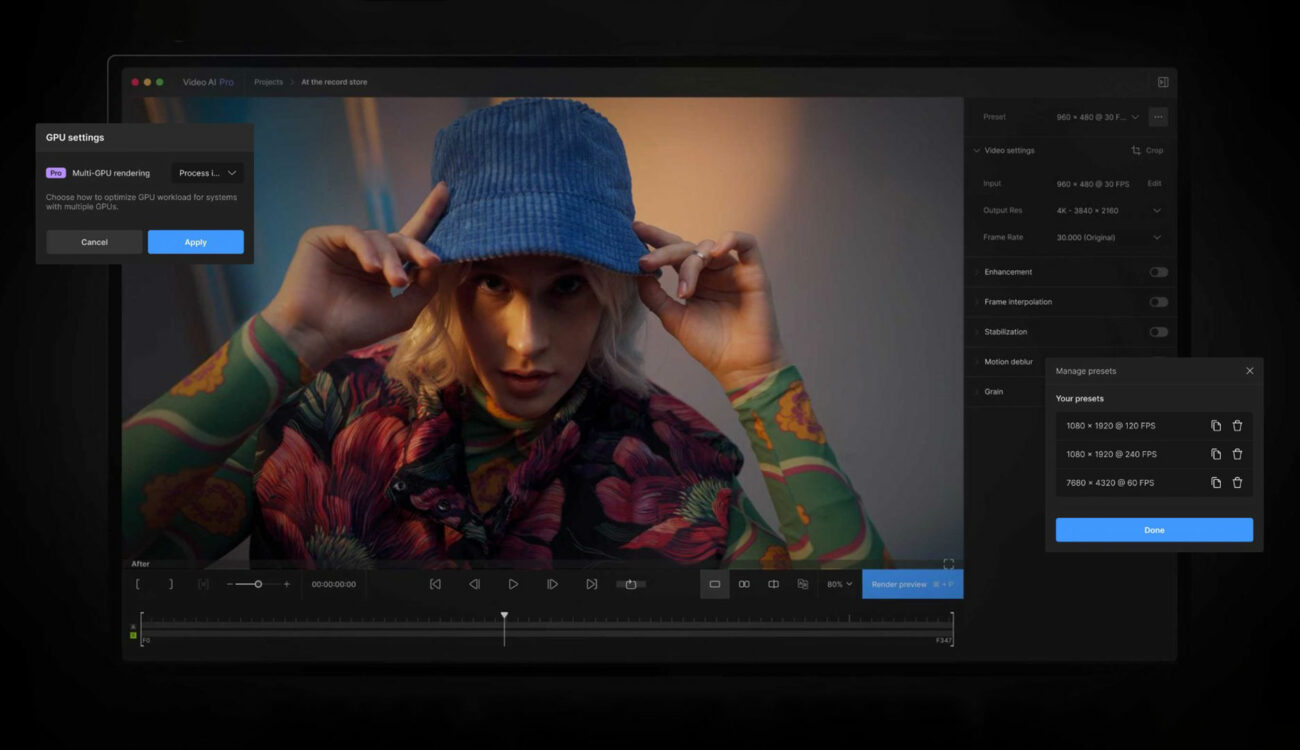
What it is: Topaz Video AI (formerly “Video Enhance AI”) is a post-production tool that uses AI models to increase video resolution, reduce noise/artifacts, and even boost frame rates via interpolation. In simpler terms, it can take a poor-quality or low-res piece of footage and make it look sharper, cleaner, and smoother in motion. Topaz has trained specialized AI models (like Artemis, Gaia, etc.) on tons of footage to learn how to add genuine detail when upscaling and how to predict intermediate frames for slow-motion or up-frame-rate conversion.
How it helps Artists: VFX work often involves integrating footage from different sources or enhancing shots for final delivery. Topaz Video AI is a lifesaver in scenarios like:
-
Upscaling old or low-res footage: If you need to include archival SD footage in an HD/4K project, or you have a plate shot on a lower resolution camera that now has to be delivered in 4K, Topaz can synthesize detail to make it match better. It can transform, say, a 480p clip into a 1080p or 4K clip that holds up on the big screen. It’s been shown to remarkably restore detail and sharpness in things like old film scans or early digital footage.
-
Denoising and restoring: Night shots or underwater shots that are very noisy can be cleaned significantly with AI without losing as much detail as traditional filters. This is great for improving keying (a cleaner plate yields a better key, for example) or just for final image quality.
-
Frame rate conversion / Slow-motion: Sometimes in VFX or film, you realize you need a slow-motion shot but didn’t shoot high FPS. Topaz’s Chronos AI model can create interim frames to slow down footage or convert between frame rates (e.g., turn 24fps into 60fps smoothly). The AI interpolation of frames results in more natural motion than standard optical flow in many cases. This can also help when you have to conform different frame rate footages or when delivering in formats like 50p/60p from 24p sources.
-
General finishing polish: Upscaling with AI can also counteract softness – for instance, a slightly out-of-focus shot might be “rescued” to some degree by AI enhancement that learns what the detail should look like and hallucinates a crisper image.
Why it’s popular: Topaz Video AI has become a go-to tool not just for enthusiasts restoring old videos, but also in professional post. The reason is that it often produces visibly better results than conventional filters, thanks to the learned data. It’s like having a smart assistant that “knows” what 4K detail should look like and can add it in. For VFX, this means shots can meet quality standards without redoing expensive shoots. A lot of films and shows have used AI upscaling to integrate, for example, older stock footage seamlessly with new 4K footage. It’s also used for IMAX or theatrical releases – e.g., upscaling a 2K VFX comp to 4K if re-rendering everything isn’t feasible under deadline. The tool is user-friendly and runs on a decent PC with a good GPU. One article noted that Topaz’s updates added “the ability to perform AI interpolation of frames to alter playback frame rates, and a much more fine-tunable upscale option” – giving professionals fine control depending on the shot. In short, Topaz Video AI helps VFX teams get the most out of their footage: whether it’s making a shot cleaner, sharper, or slower, the AI enhancements can often achieve in minutes what manual techniques would struggle with (or simply couldn’t do at all).
Build Your Skills
The VFX industry in 2026 is one where AI tools are not replacing artists, but empowering them. Studios that adopt these tools (and artists who know how to use them well) are finding that they can deliver shots faster without sacrificing quality – often even improving quality because the team has more time to fine-tune the creative aspects. By learning tools like the ones in this top 10 list, you’ll be positioning yourself and your team at the cutting edge of VFX innovation. The end goal is exactly what you’d hope: less time on grunt work, more time on art. And that ultimately means better visuals on screen, achieved in less time – a win-win for both creators and clients.
Get Started Today: Build a solid foundation in the latest tools with Introduction to ComfyUI For VFX. Learning to use tools like ComfyUI enables you to focus more on the creative work that only human artists bring to the table. I believe that will be increasingly important as AI tools become more advanced. ComfyUI is a great place to start since it's free and node-based (like Nuke)! Sign-up for Introduction to ComfyUI